
Make changes to the Windows
Registry to enhance your computing experience. DETAILS XP and Vista
Add Copy/Move To Right Click Menu:
Will let you add a Copy To Folder or Move To Folder to the right-click menu,
which can be very useful when you want to move a file but don't have the other
folder open already. Add Encrypt/Decrypt To Right Click
Menu: If you use the built-in file encryption in Windows Vista, you
might be interested in adding an option to the right-click menu to more easily
encrypt and decrypt your files, rather than having to use the file properties
dialog. Vista Only Add/Remove IE Icon To Desktop: You
can recreate the native Internet Explorer icon the way it used to be in prior
versions of Windows. For instance, if you want to right-click the icon and
choose properties to easily get to the internet options panel. Or if you don't
want it to look like a shortcut. Add/Remove User Accounts Utility To Control
Panel: Hidden away in the Windows directory is a separate utility that
can be used to perform certain user administration functions not provided in the
normal interface. Instead of typing "control userpasswords2? into the run box,
you can just add it as an icon in your Control Panel.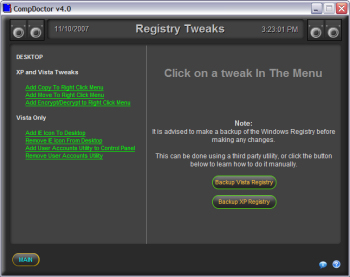
Click on a registry tweak in the left menu.
Copyright © 2001-2007 HighDesert Software Co.